
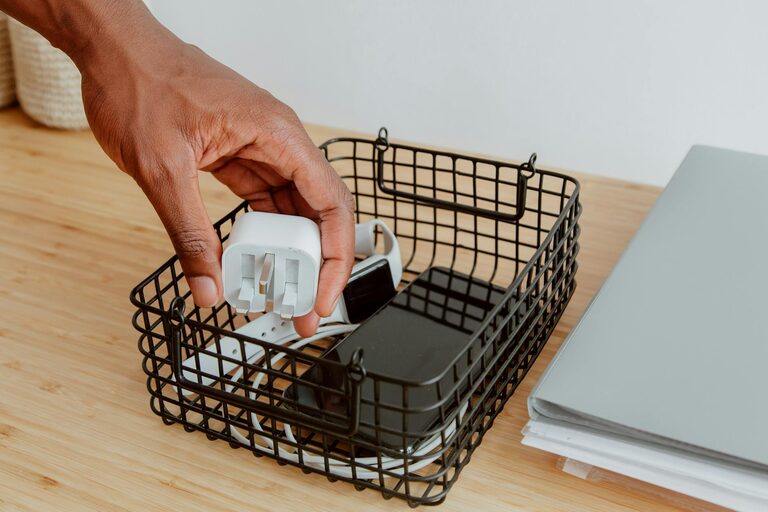
Keeping cables and chargers organized can feel like a never-ending challenge. From phone chargers to laptop cords, the jumble of wires can quickly turn any space messy and frustrating. However, with a few practical tips and clever storage ideas, you can tame the tangle and create a neat, accessible setup.
In this guide, we’ll explore easy and affordable ways to organize your cables and chargers for good.
Why Organizing Cables and Chargers Matters
Before diving into solutions, it’s helpful to understand why cable organization is important:
– Reduces Clutter: Tangled cords can take up more space than they should, making your workspace or living area look messy.
– Prevents Damage: Properly stored cables are less likely to fray or break.
– Saves Time: Finding the right charger or cable quickly is easier when everything is orderly.
– Improves Safety: Reduces the risk of tripping or accidental unplugging.
Step 1: Gather and Sort Your Cables
Start by collecting all your cables and chargers in one place. This includes USB cables, power cords, HDMI cables, and any other wires you use regularly.
– Sort by type: Group similar cables together — phone chargers in one pile, laptop chargers in another.
– Check condition: Throw away or recycle any damaged or unused cables you no longer need.
Sorting helps you identify what you have and what storage solutions will work best.
Step 2: Label Your Cables
Labeling makes it easy to identify which cable belongs to which device without unraveling every wire.
How to label cables:
– Use simple masking tape or washi tape and write the device name with a permanent marker.
– Buy ready-made cable labels or tag rings available online or at electronics stores.
– Use color-coded zip ties or stickers to match cables with devices, especially if you have multiple similar cords.
Step 3: Choose the Right Storage Solutions
Depending on your space and the number of cables, here are some popular options:
Cable Organizers and Holders
– Cable clips: Small adhesive clips that stick to desks or walls to hold cables in place.
– Cable boxes: Boxes designed to hold a power strip and hide cables inside, keeping them out of sight.
– Cord winders or reels: Devices that help wind excess cable length neatly.
– Cable sleeves: Fabric or plastic tubes that bundle multiple cables together.
DIY Storage Ideas
– Use empty toilet paper rolls to store individual cables; decorate them if you like.
– Repurpose small containers, like boxes or jars, to hold chargers and adapters.
– Use binder clips attached to desks as cable holders.
Drawer or Box Storage
If you prefer to keep cables out of sight, dedicate a drawer or box for cables and chargers.
– Use dividers or small containers inside the drawer to keep cables separated.
– Make sure to coil cables loosely to avoid damage.
Step 4: Coil Cables Properly
Proper coiling prevents damage and makes cables easier to pull out when needed.
Best practices for coiling:
– Use the “over-under” method, which prevents twisting and tangling.
– Avoid wrapping cables tightly around objects as this can damage wires.
– Secure coils with reusable Velcro straps, twist ties, or rubber bands.
Step 5: Create a Charging Station
Having a dedicated charging spot helps keep cables and devices organized.
Setting up a charging station:
– Use a power strip with enough outlets and surge protection.
– Combine with a cable management box to hide cords.
– Place small trays or containers nearby for devices while charging.
– Hide outlets behind furniture if possible to reduce visible cables.
Step 6: Maintain Your System Regularly
Organization only lasts if you keep it up. Schedule a quick weekly or monthly check to:
– Remove cables you don’t use anymore.
– Re-coil and tidy any loose cables.
– Update labels if needed.
Extra Tips for Specific Cable Types
For Earbuds and Small Cables
Use small pouches or cases designed for headphones to avoid tangling.
For TV and Entertainment Centers
Use cable raceways or adhesive channels to run cables along walls neatly.
Office or Desk Workstations
Attach power strips under desks and use cable trays to route cables downward and out of sight.
Final Thoughts
Organizing cables and chargers might take a little upfront effort, but the payoff is a clutter-free environment that feels calm and organized. By sorting, labeling, storing, and maintaining your cables with these simple steps, you’ll save time and frustration while protecting your electronics.
Try a few of these tips today and enjoy a tidier space tomorrow!